Six providers, one window
Gmail, Outlook, Zoho, Fastmail, Yahoo and ProtonMail — each in its real native interface, side by side in a single app.
Your inbox, on the wing.
Mailwing puts your real Gmail, Outlook, Zoho, Fastmail, Yahoo and ProtonMail inboxes into one native desktop window — with live unread counts and notifications across every account. No browser tabs, no new client to learn.
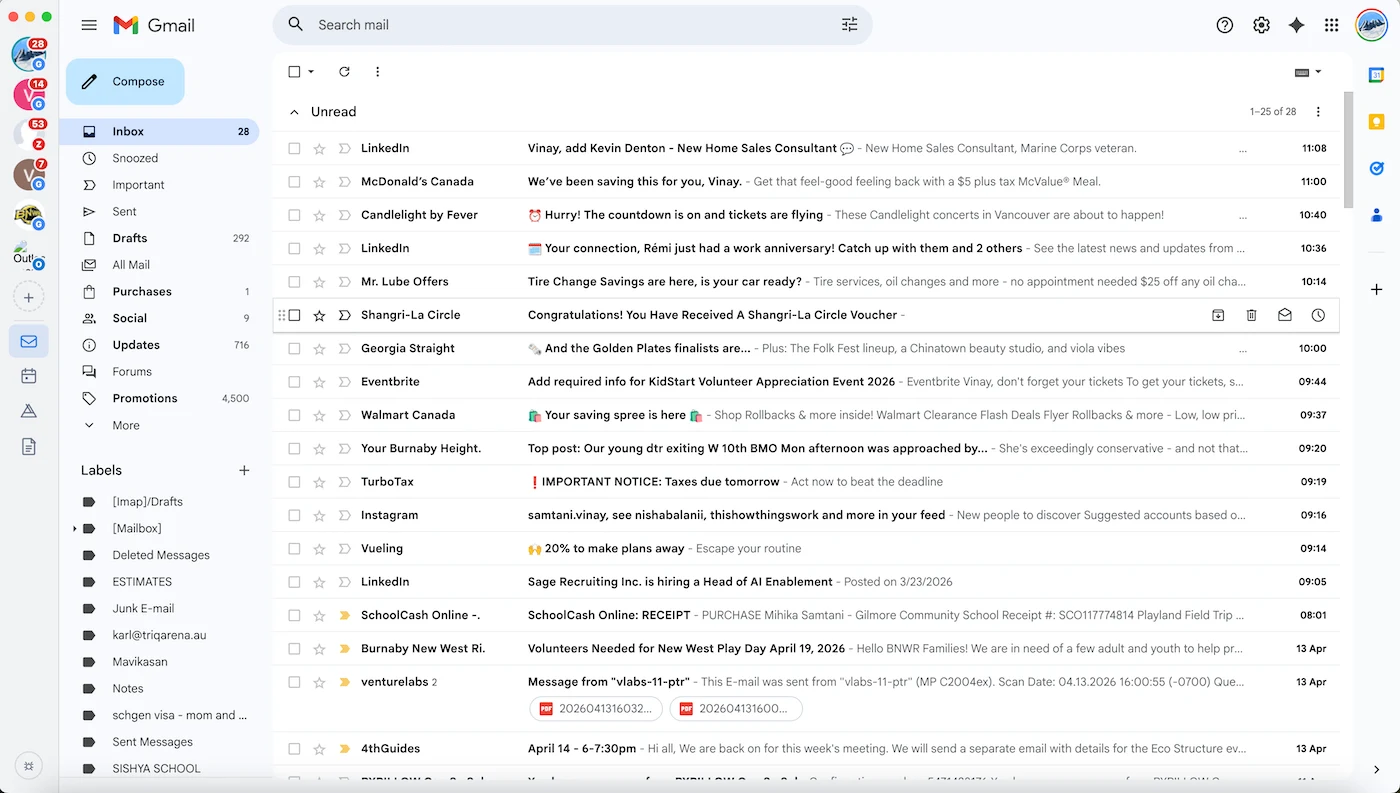
Mailwing doesn't reinvent your inbox. It loads each provider's real web interface — the exact Gmail or Outlook you already know — and gives all six one shared native window, with a few quiet upgrades a browser tab can't.
Gmail, Outlook, Zoho, Fastmail, Yahoo and ProtonMail — each in its real native interface, side by side in a single app.
Cookies, login state, and local storage never cross between accounts. Sign in to two Gmail accounts without the usual chaos.
Sidebar, dock, system tray and notifications stay in sync with each inbox — no need to click around to check what's new.
Network-level filtering quietly strips promo banners and tracking pixels. Provider domains are deliberately left untouched.
Light by day, dark by night — Mailwing follows your system preference so you never have to flip a switch.
A quick scratch panel next to your inbox. Cmd/Ctrl + Shift + N opens it. Persists across launches, never leaves your device.
Pick the channel that matches your OS. macOS builds are signed and notarized; on Windows the first launch needs a one-time SmartScreen confirmation.
Or via Homebrew:
brew install --cask vinaysamtani/mailwing/mailwingSigned & notarized by Apple — opens with a normal double-click. Details
Or via winget:
winget install --id Mailwing.MailwingFirst launch: SmartScreen → More info → Run anyway. Why?
Then make it executable:
chmod +x Mailwing-1.2.1.AppImage
./Mailwing-1.2.1.AppImage
Set as your default mail client: xdg-settings set default-url-scheme-handler mailto mailwing
Six providers · one window · no telemetry · open source. Free, forever.